Take orders online. Keep more of what you earn.
Your own ordering page, paid into your own account. Keep more of every order.
From tap to ticket, with nothing in the middle.
- Your customer orders
From your website, your Google profile or your Instagram. Collection or delivery, with delivery zones set by postcode.
- They pay by card
Checkout runs on Square, the same people behind your card machine. Apple Pay and Google Pay work too.
- The ticket prints
The order lands in the kitchen on a printer or tablet, so nobody retypes anything off a phone.
- The money is yours
Payments go straight into your own bank account, usually by the next working day.
Every order on your own page keeps the commission in your pocket.
The apps are a fine place to be found. They're an expensive place to take your regulars' orders. Put an order button on your site, your Google profile and your Instagram, and point your regulars there.
Rates from the Uber Eats UK pricing page and Square Online plans, checked September 2026. Square's fee is paid to Square, not to us.
What a £20 order costs you
- Uber Eats, Uber delivers (30% plus VAT)£7.20
- Uber Eats, pick-up or your own delivery (13% plus VAT)£3.12
- Your own ordering page on Square (1.4% + 25p)£0.53
Set up for you.
- Your menu online, with photos, options, extras and allergen notes
- Collection and delivery, with zones, minimum orders and fees by postcode
- Tickets that print in the kitchen, set up and tested with you
- Order buttons on your website, Google profile and Instagram
- Test orders before launch, and a handover session so your team knows the app
- Payments straight into your bank
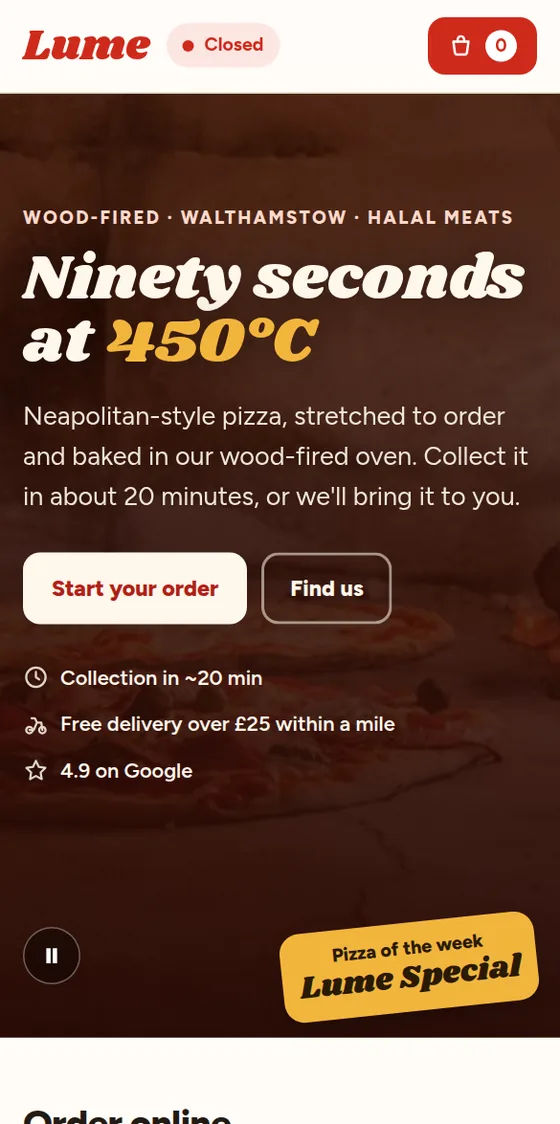
Order a pizza from our example shop.
Lume Pizza is a worked example. Build a basket, choose collection or delivery, go through checkout and see the ticket the kitchen would print. No payment is taken.
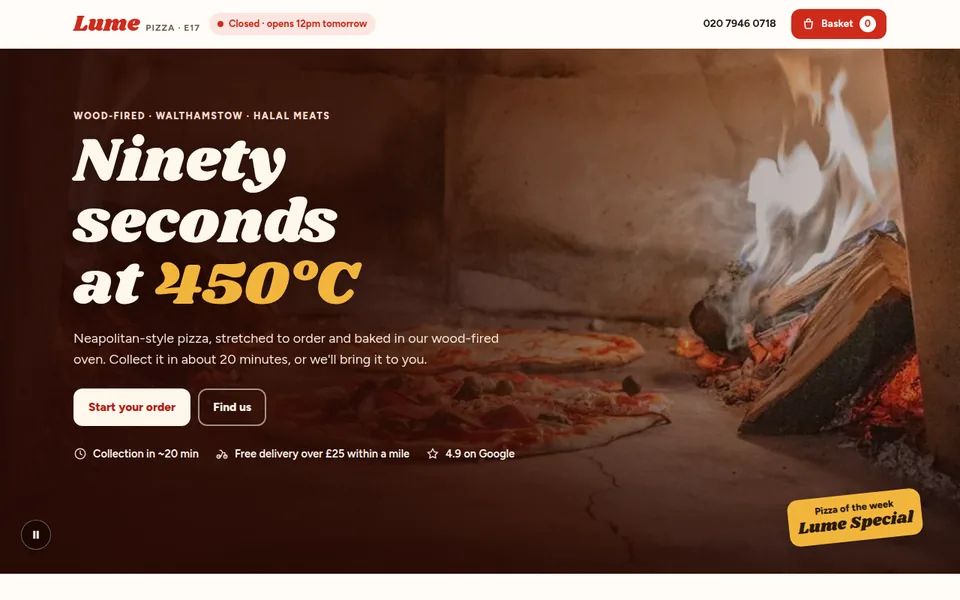
Lume Pizza, a wood-fired pizza takeaway
Online ordering with collection, delivery zones and a ticket that prints in the kitchen.
Built as a Business site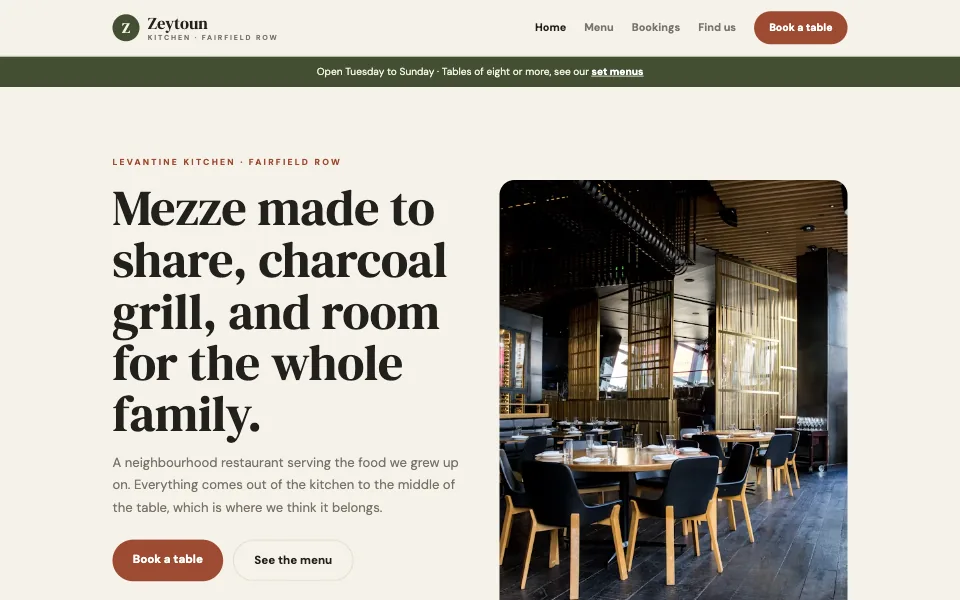
Zeytoun Kitchen, a neighbourhood restaurant
The full menu with allergens, bookings with set menus for big tables, and a map.
Built as a Business site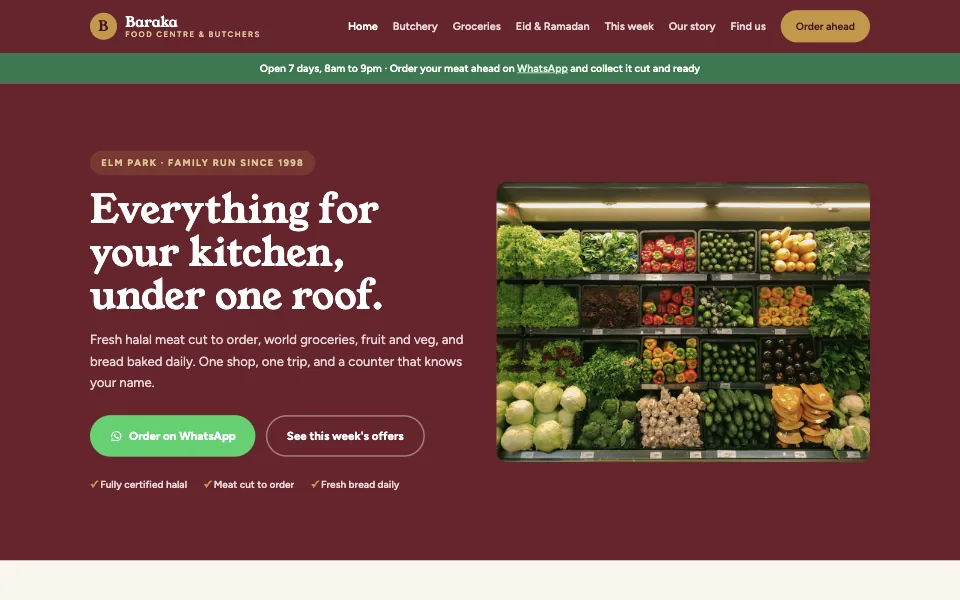
Baraka, a halal food centre and butchers
Butcher counter, weekly offers, Eid orders and WhatsApp order-ahead.
Built as a Business siteWe set it up. You start taking orders.
- Your Square account is opened in your business's name, and we guide you through it on WhatsApp.
- Send us your menu as it is, even a photo of the paper one, and we put it online.
- We connect the kitchen printer or tablet and send test orders until it's perfect.
Care Plus keeps it right.
Menus change and printers misbehave. Care Plus covers your menu and price changes, fixes whenever ordering stops working, help with the printer and tablet on WhatsApp, and updates to your Google profile. Your messages go to the front of the queue.
What owners ask us.
Do you take a cut of my orders?
No. Card payments go through Square straight into your own account.
Do I need to leave Just Eat, Uber Eats or Deliveroo?
No. Most shops keep the apps for new customers and send their regulars to their own page. Every order that comes through your page instead saves you the app's cut.
What do I need to get started?
Your menu with prices, your opening hours, where you deliver and what you charge for it, and your allergen information. A photo of your paper menu is a fine start.
Can I change prices or sold-out items myself?
Yes. Square gives you an app to switch items on and off in seconds. With Care Plus, you can also just message us and we make the change for you.
What if ordering stops working on a busy night?
With Care Plus, message us on WhatsApp and it goes to the front of the queue. We also help with the printer and tablet.
How do I get started?
Tell us about your business and what you need, and we'll get it set up for you. Message us and we'll be in touch with your next steps.
Tell us about your shop.
Send a WhatsApp message with what you sell and where. We'll be in touch with your next steps.